Syberra POS Features
Everything you need to run your restaurant — from front of house to back office, across every device your team uses.
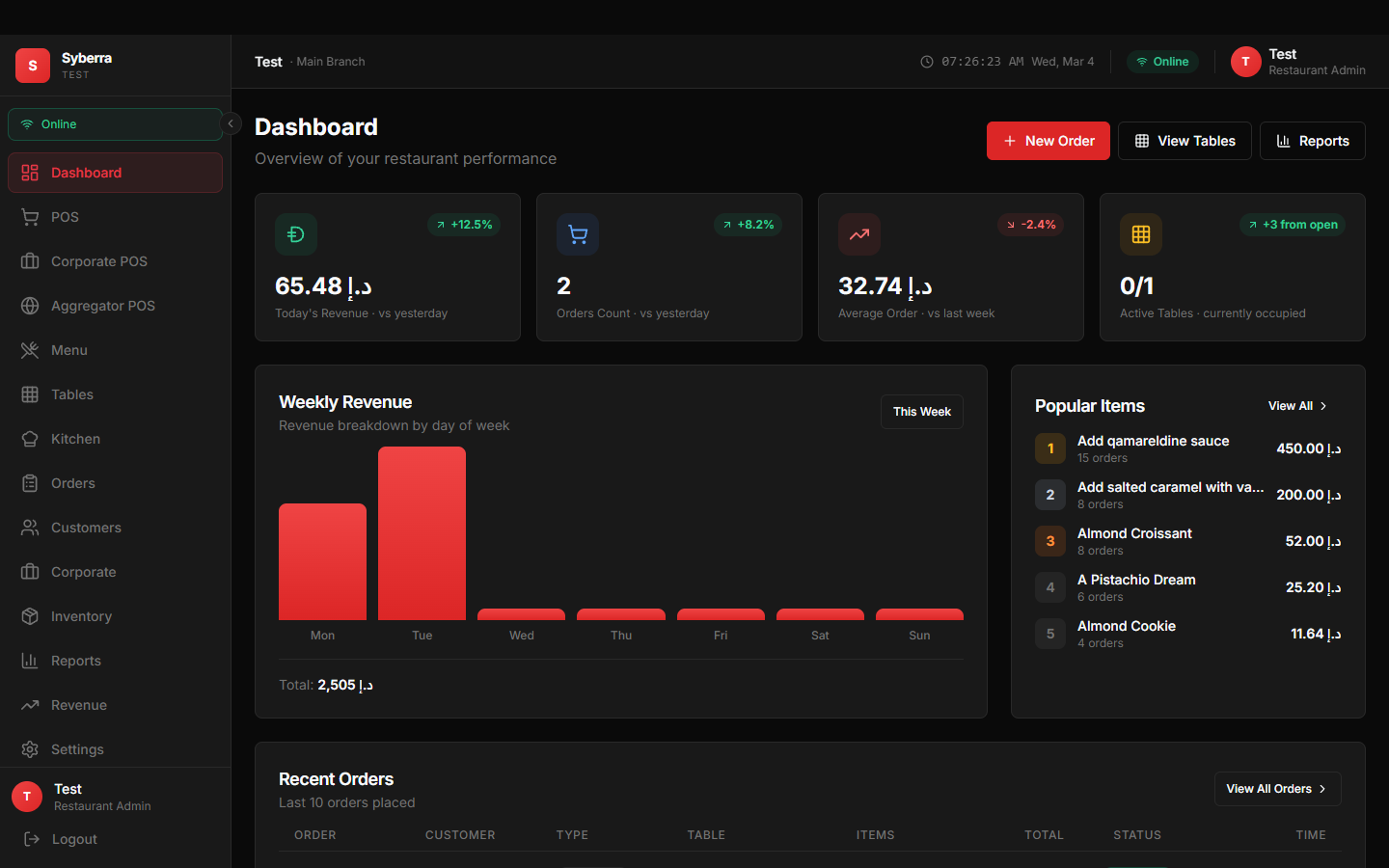
Real-Time Business Overview
Get a complete snapshot of your restaurant's performance the moment you log in. Track today's revenue, order count, average order value, and table occupancy — all updated in real-time.
The weekly revenue chart breaks down earnings by day, while the popular items section highlights your best sellers. Recent orders stream in live, giving you full visibility into what's happening right now.
- Today's revenue with comparison to yesterday
- Weekly revenue chart with day-by-day breakdown
- Popular items ranking with order counts
- Active table count and recent orders feed
- Quick-action buttons for new orders, tables, and reports
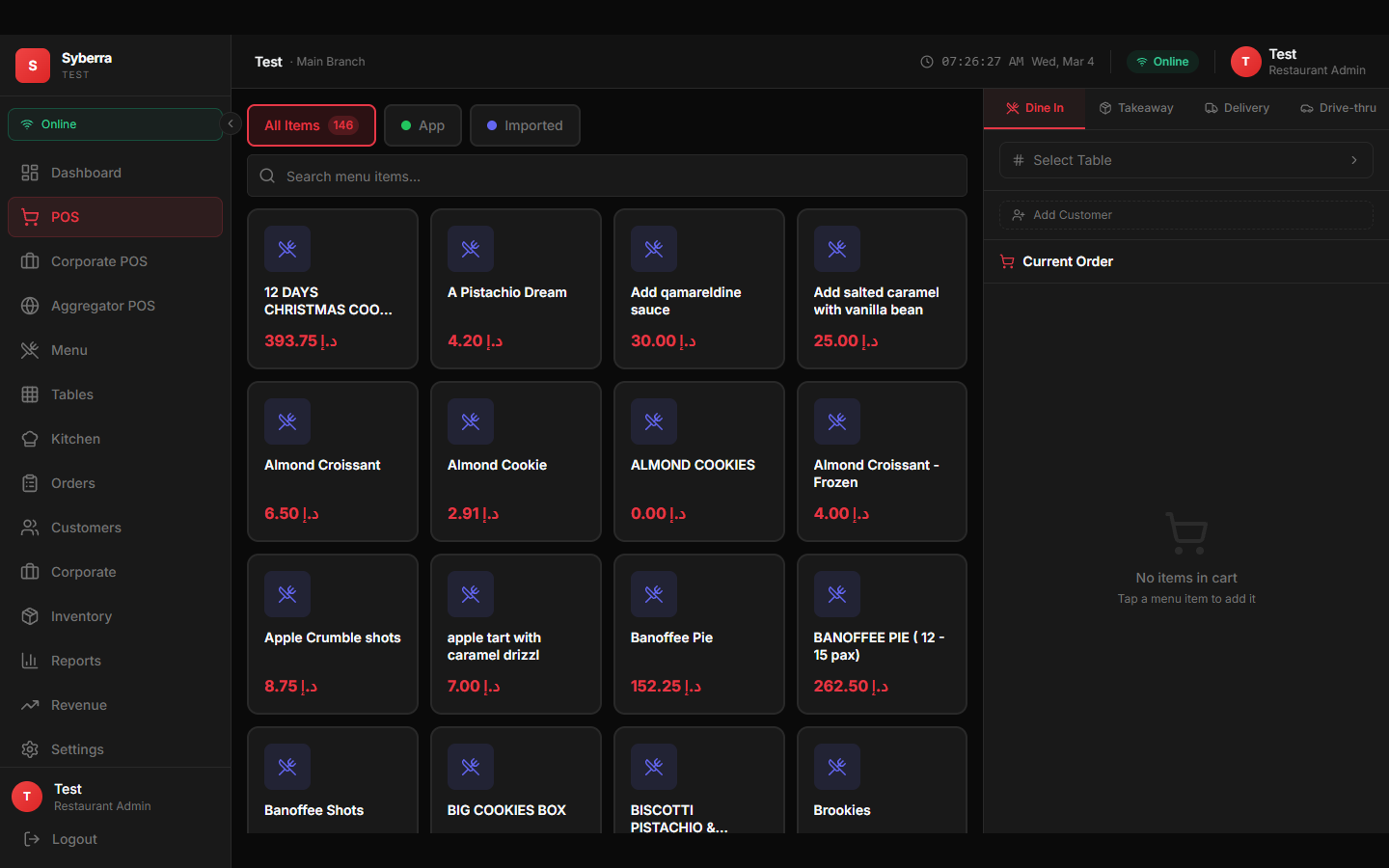
Fast, Intuitive Order Processing
The POS screen is where your cashiers and waiters spend most of their time, so we made it fast and frictionless. A grid-based menu layout with instant search lets your team find any item in seconds.
Support for dine-in, takeaway, delivery, and drive-thru order types means one system handles your entire operation. Assign tables, add customers, apply discounts, and accept multiple payment methods — all without leaving the screen.
- Grid-based menu with quick search and filters
- 4 order types: dine-in, takeaway, delivery, drive-thru
- Table selection and customer assignment
- Multi-payment support (cash, card, split payments)
- Corporate POS and aggregator integration modes
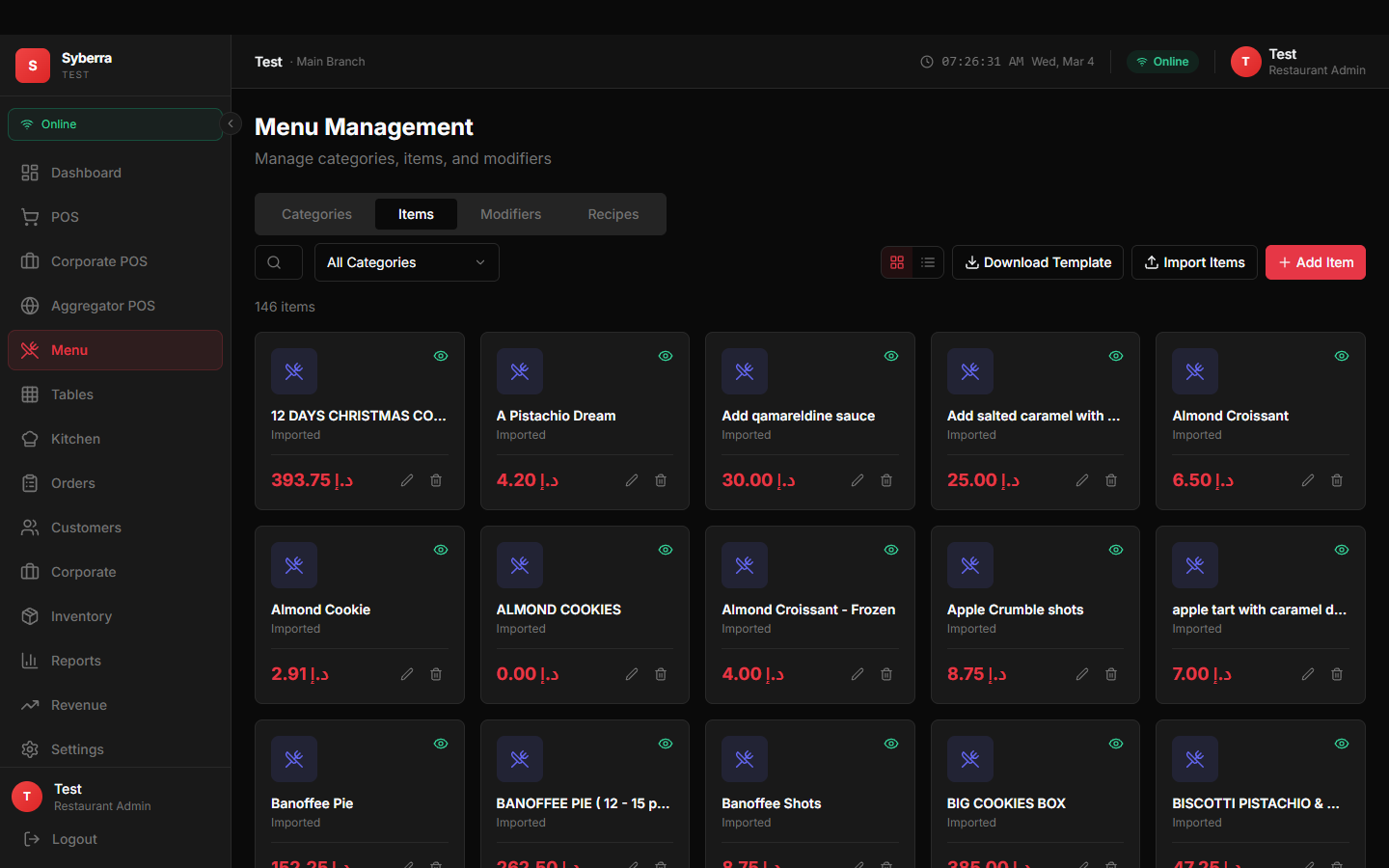
Full Control Over Your Menu
Add, edit, and organize your menu items with ease. Set prices, manage categories, control availability, and add modifiers for customizable items. Bulk import lets you migrate your existing menu in minutes.
Changes sync instantly to all connected devices — update a price on your desktop and every waiter's tablet reflects it immediately.
- Add, edit, and organize menu items
- Category management with drag-and-drop
- Price and availability control
- Item modifiers and add-ons
- Bulk import from spreadsheets
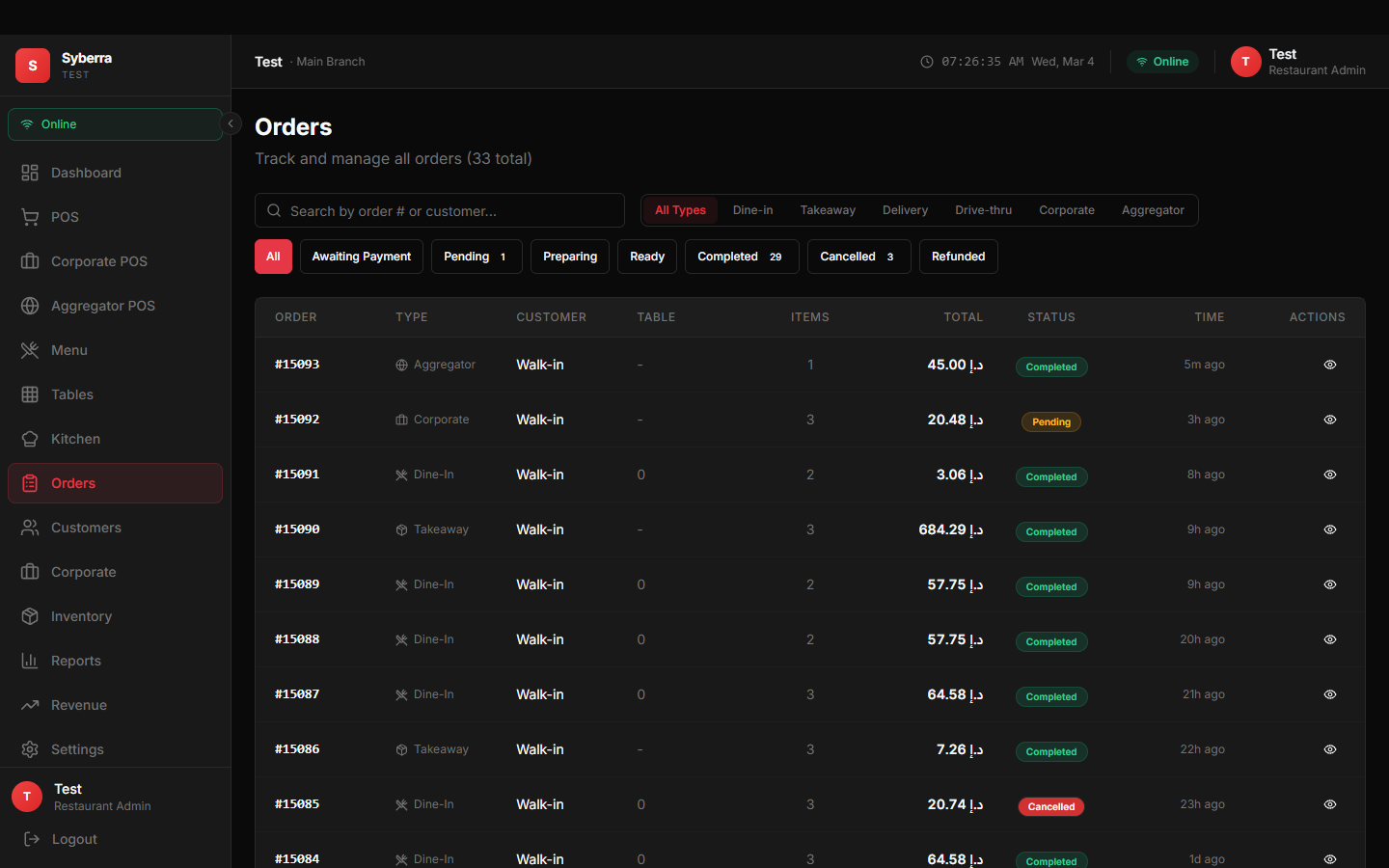
Track Every Order, Every Step
From the moment an order is placed to when it's served and paid, you have full visibility. Filter by type, status, date, or staff member to quickly find what you need.
Each order shows complete details: items, modifications, table, customer, timestamps, payment status, and which staff member handled it. Order history is searchable and exportable.
- Real-time order status tracking
- Filter by type, status, date, and staff
- Full order history with complete details
- Payment status and method tracking
- Waiter-specific "My Orders" view
Visual Floor Plan Control
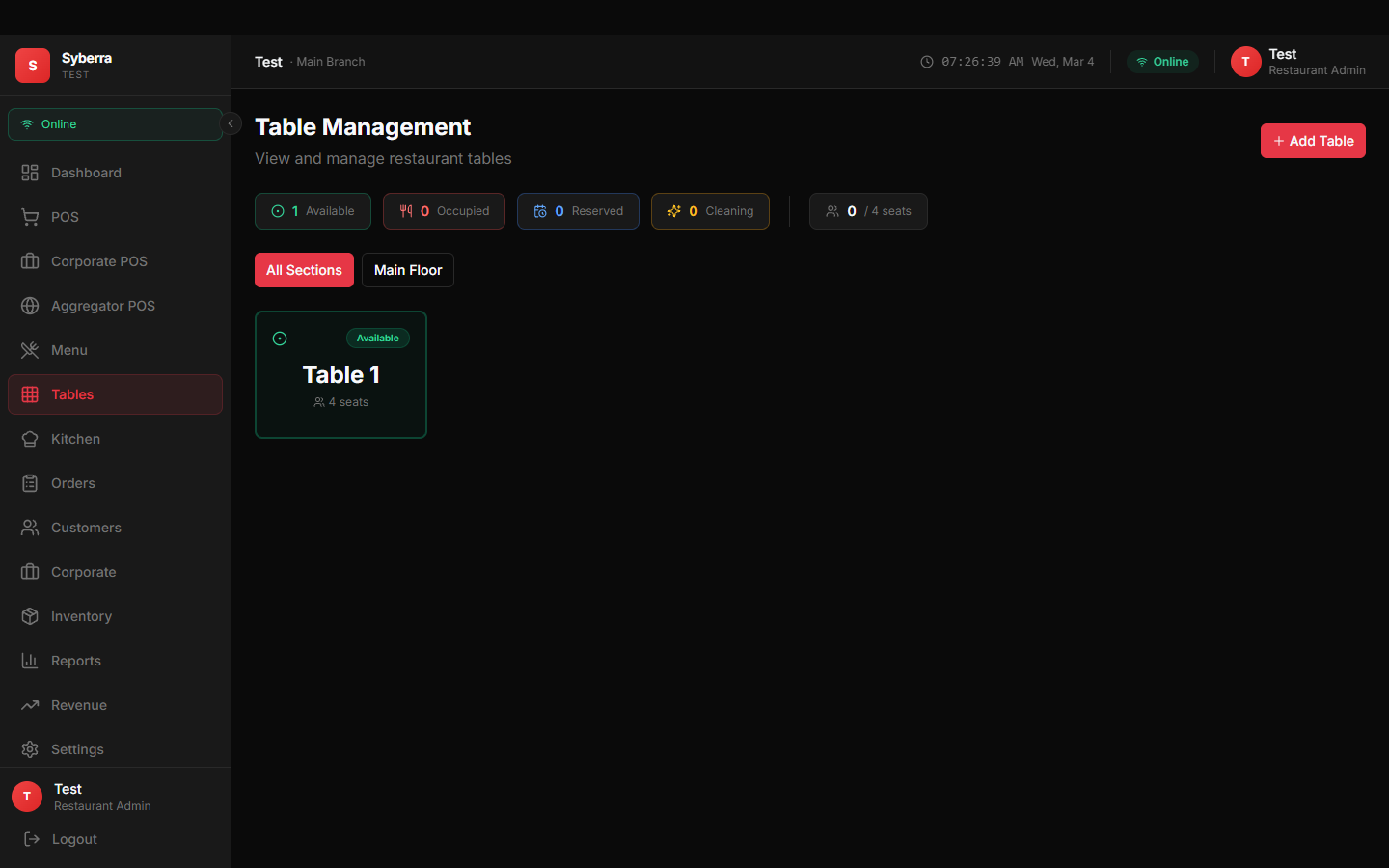
See your entire restaurant floor at a glance. Each table shows its current status — available, occupied, or being cleaned — with color-coded indicators that update in real-time.
Assign orders to tables from the POS, generate QR codes for customer self-ordering, and track the full table lifecycle from seating to checkout to cleaning.
- Visual table grid with color-coded status
- Table lifecycle: available, occupied, cleaning
- QR code generation for customer ordering
- Quick table assignment from POS screen
- Occupancy tracking and history
Orders Straight to the Kitchen
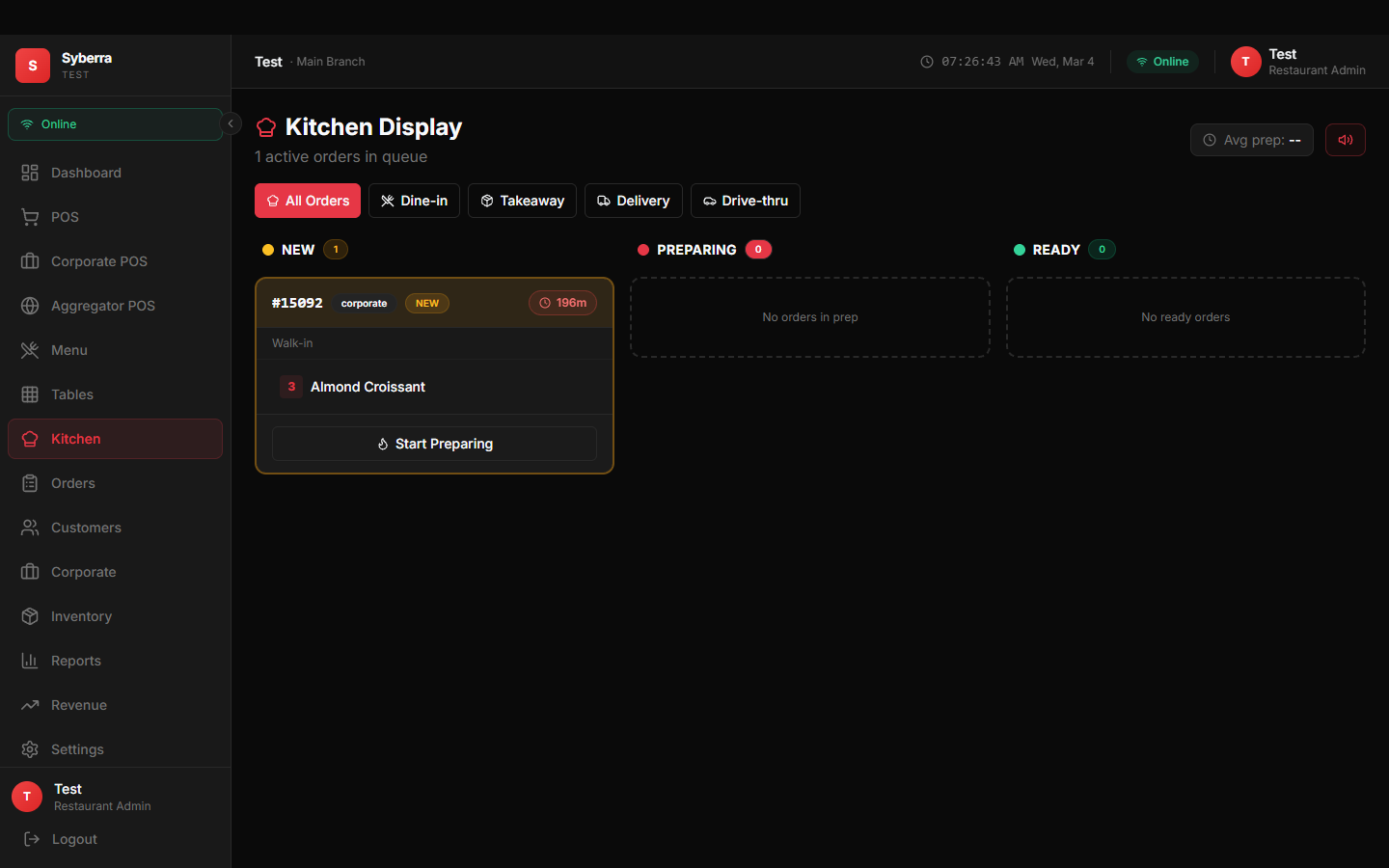
The Kitchen Display System (KDS) shows incoming orders in real-time on a dedicated screen. Kitchen staff see exactly what needs to be prepared, mark items as in-progress or ready, and get notified about priority orders.
When an order is marked ready, the waiter and cashier are notified instantly — no shouting, no paper tickets, no confusion.
- Real-time order feed for kitchen staff
- Mark items as preparing or ready
- Order priority and timing indicators
- Push notifications when orders are ready
- Dedicated role-based access for kitchen users
Data That Drives Decisions
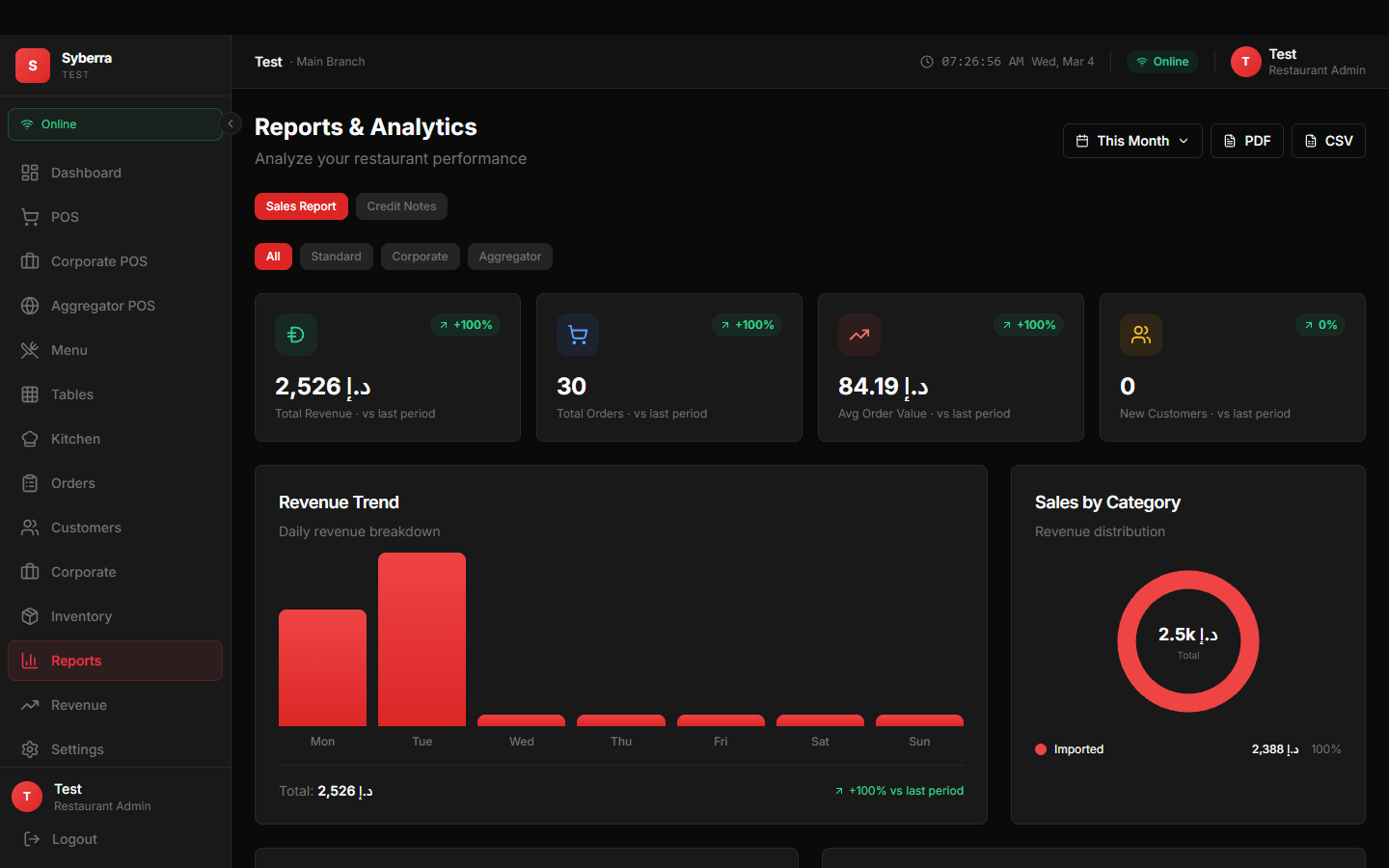
Deep business insights at your fingertips. Revenue trends show how your business performs over time with period-to-period comparisons. See which categories drive the most sales and which items are your top performers.
Hourly order volume analysis helps you optimize staffing, while export tools let you take your data into any spreadsheet or accounting system.
- Revenue trends with period comparisons
- Sales breakdown by category (pie chart)
- Top-selling items ranking
- Hourly order volume analysis
- Export to PDF and CSV
- Custom date range selection
Stock Tracking That Works
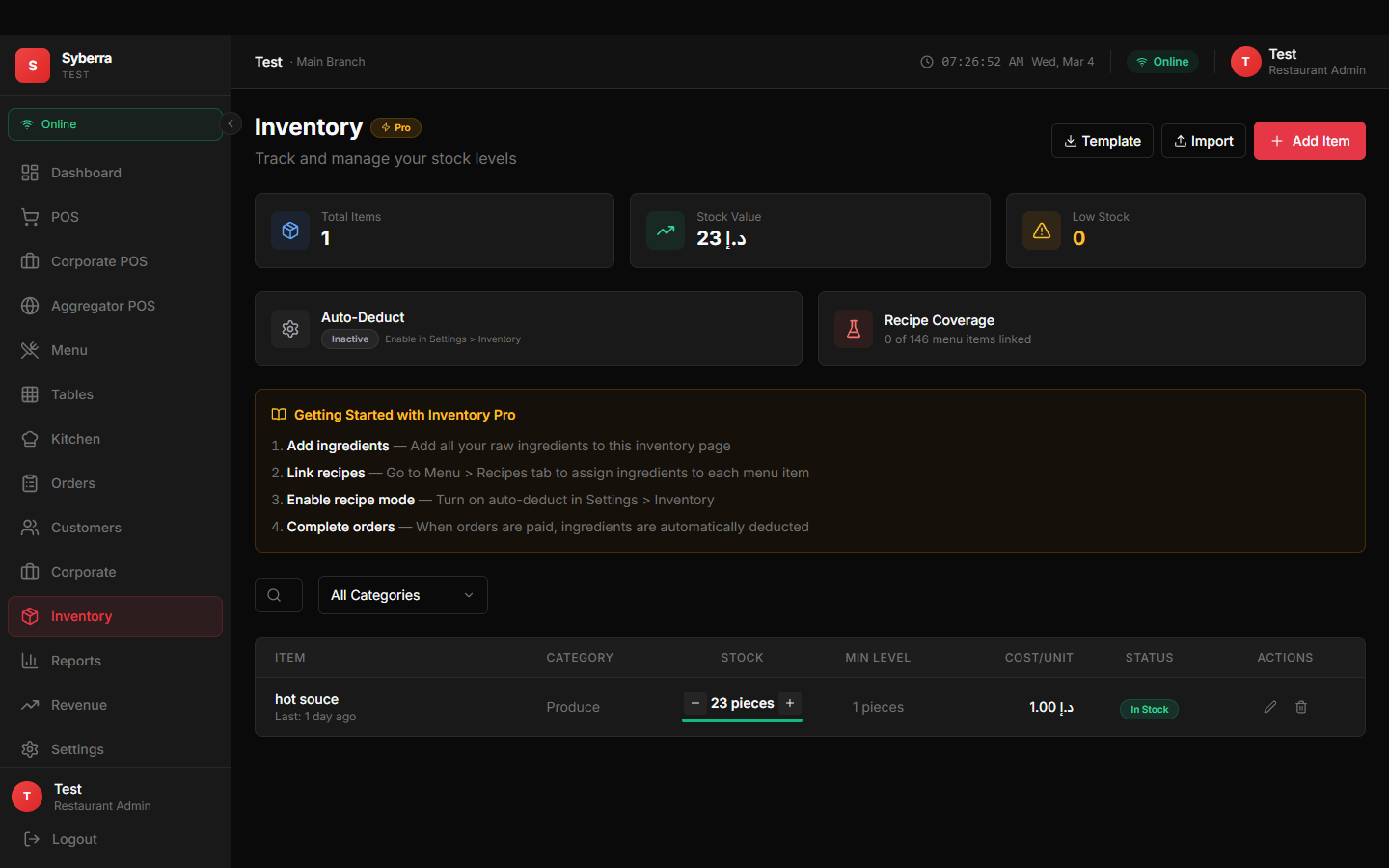
Know exactly what's in stock at all times. Inventory levels update automatically as orders are processed, and low-stock alerts ensure you never run out of key ingredients during service.
The demand forecasting module analyzes your sales patterns to predict future stock needs, helping you order smarter and reduce waste.
- Real-time stock level monitoring
- Automatic deduction on order completion
- Low stock alerts and notifications
- Demand forecasting based on sales data
- Usage reports linked to orders
Additional Capabilities
Beyond the core modules, Syberra POS includes everything your team needs.
Customer Management
Build customer profiles, track order history, and identify your most loyal patrons.
Multi-Payment
Cash, card, split payments, and corporate invoicing. Accept payments however your customers prefer.
Role-Based Access
Admins, managers, cashiers, waiters, and kitchen staff each see only what they need.
Real-Time Sync
Every device syncs every 5-7 seconds. Orders, menu changes, and status updates appear instantly everywhere.
Notifications
Order ready alerts, waiter payment notifications, and table status changes — all in real-time.
Offline Mode
Keep taking orders even without internet. Everything saves locally and syncs automatically when you reconnect.
Receipt Printing
Print thermal receipts directly from the POS. Customizable receipt layout with your branding.
Settings & Config
Customize currency, tax rates, receipt text, user permissions, and more from the settings panel.